-
Type:
Change Request
-
Status: Closed
-
Priority:
 Medium
-
Resolution: Cancelled
-
Affects Version/s: None
-
Fix Version/s: None
-
Component/s: Integrations
-
Labels:None
-
Module:TSR
-
Reported by:Harbinger
-
Issue Importance:Q2
-
Feature Category:Integration
-
Severity:Simple
Environment - Local (wt-stage)
1] Login to the application as a partner.
2] Click on "Assign Classes & Payroll" tile.
3] Check checkbox in front; of any employee.
4] Select classes from the drop downs.
5] Click on "Apply" button.
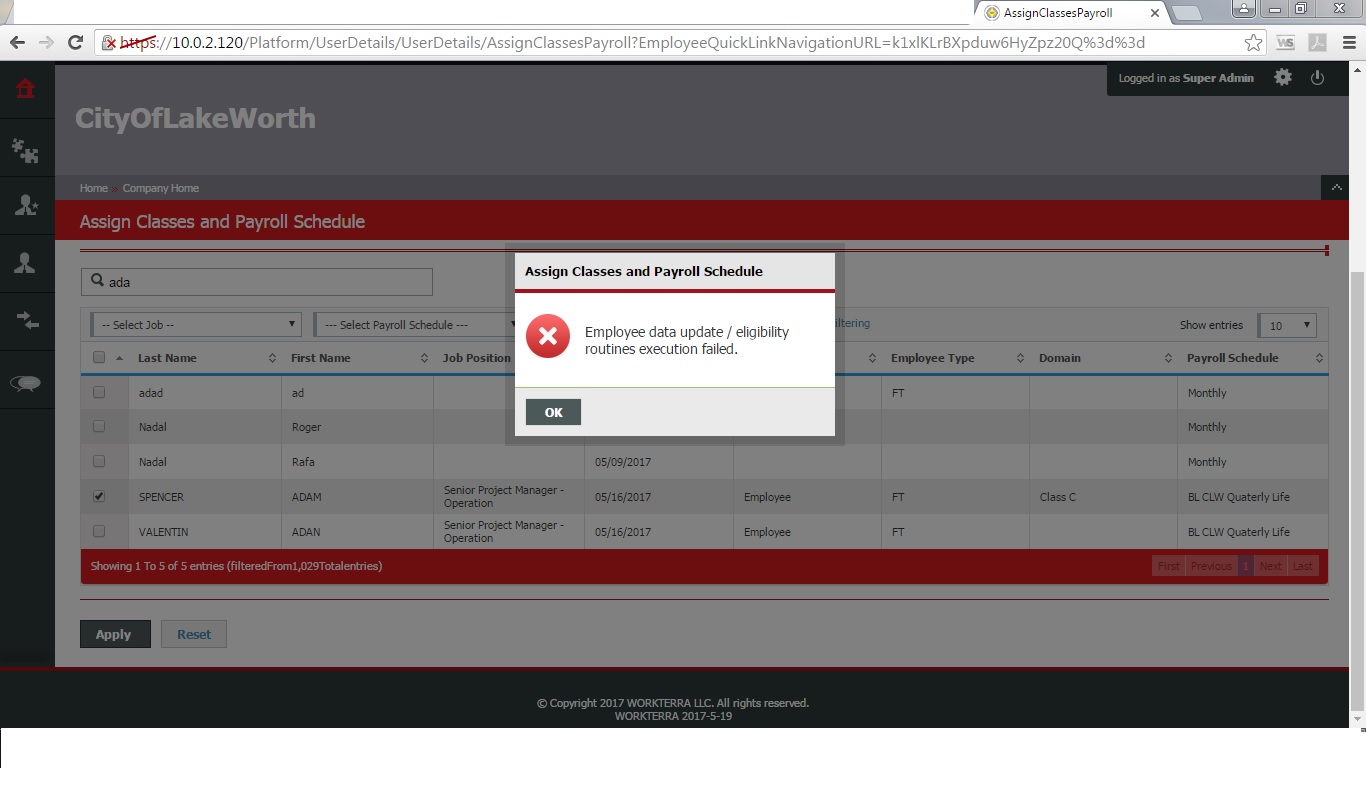
6] Observe the message displaying.
Actual Result:
Below message is displaying, by reading this message admin not able to understand what's is wrong:
"Employee data update / eligibility routines execution failed."
Instead of this can we have message:
"Either employee data update or eligibility routines execution failed."
- relates to
-
NF-1139 Add a step for Admin review to update Classes and Payroll Schedule
-

- Closed
-
