-
Type:
Change Request
-
Status: Production Complete
-
Priority:
 Low
Low
-
Resolution: Bug Fixed
-
Affects Version/s: None
-
Fix Version/s: None
-
Component/s: UI Refresh
-
Labels:None
-
Environment:Others
-
Module:BenAdmin
-
Reported by:CareerBuilder
-
Company:All Clients/Multiple Clients
-
Item State:Stage QA - Production Deployment on Hold
-
Severity:Simple
-
Code Reviewed By:Vikas Pawar
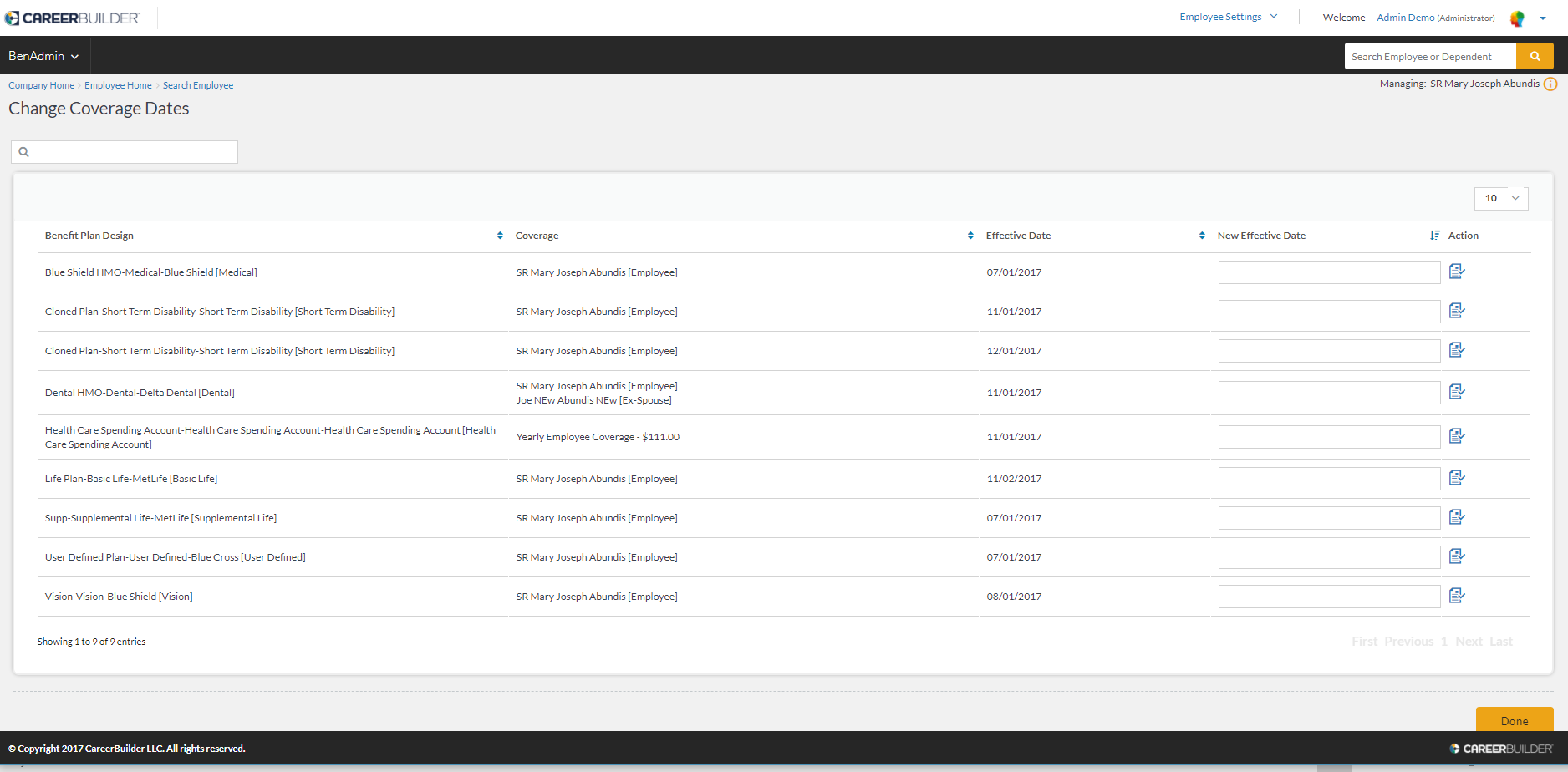
1. D479 Diana BenAdmin - Change Coverage Dates - Selected an employee UI Refresh - Adminui - Password@1 Employer Low UI
After I click on an employee and get to the page to change dates, the column headers are not aligned with the column data. There seems to have some spacing before each column header Remove the spacing before each column header
2. D480 Diana BenAdmin - Change Coverage Dates - Selected an employee UI Refresh - Adminui - Password@1 Employer Low UI
There is a sorting function for the last column of "Update" Rename the column to "Action" and remove the sorting functionality
3. D487 Diana BenAdmin - Enrollment Summary by Employee - Selected an employee UI Refresh - Adminui - Password@1 Employer Low UI
For the Benefit Types listing, there is no order on the option Backlog suggestion: Recommend to sort the options by alphabetical order
4. D488 Diana BenAdmin - Enrollment Summary by Employee - Selected an employee UI Refresh - Adminui - Password@1 Employer Low UI
When you hover over the "View" button, it shows hover text of "btnview" Change it to "View"
5. D489 Diana BenAdmin - Enrollment Summary by Employee - Selected an employee UI Refresh - Adminui - Password@1 Employer Low UI
There is only an action button of "View". Backlog suggestion: Add a "Back" button linking them back to the "Search Employee" function
- relates to
-
-

- Production Complete
-

