-
Type:
Bug
-
Status: Closed
-
Priority:
 Low
Low
-
Resolution: Done
-
Affects Version/s: None
-
Fix Version/s: None
-
Component/s: Integrations
-
Labels:None
-
Module:TSE Integration
-
Reported by:Harbinger
-
Item State:Production Complete - Closed
-
Issue Importance:Q1
-
Code Reviewed By:Jaideep Vinchurkar
1] Login to the application as a partner.
2] Navigate to Import/Export>Template Management.
3] Add new import template of Job Data type.
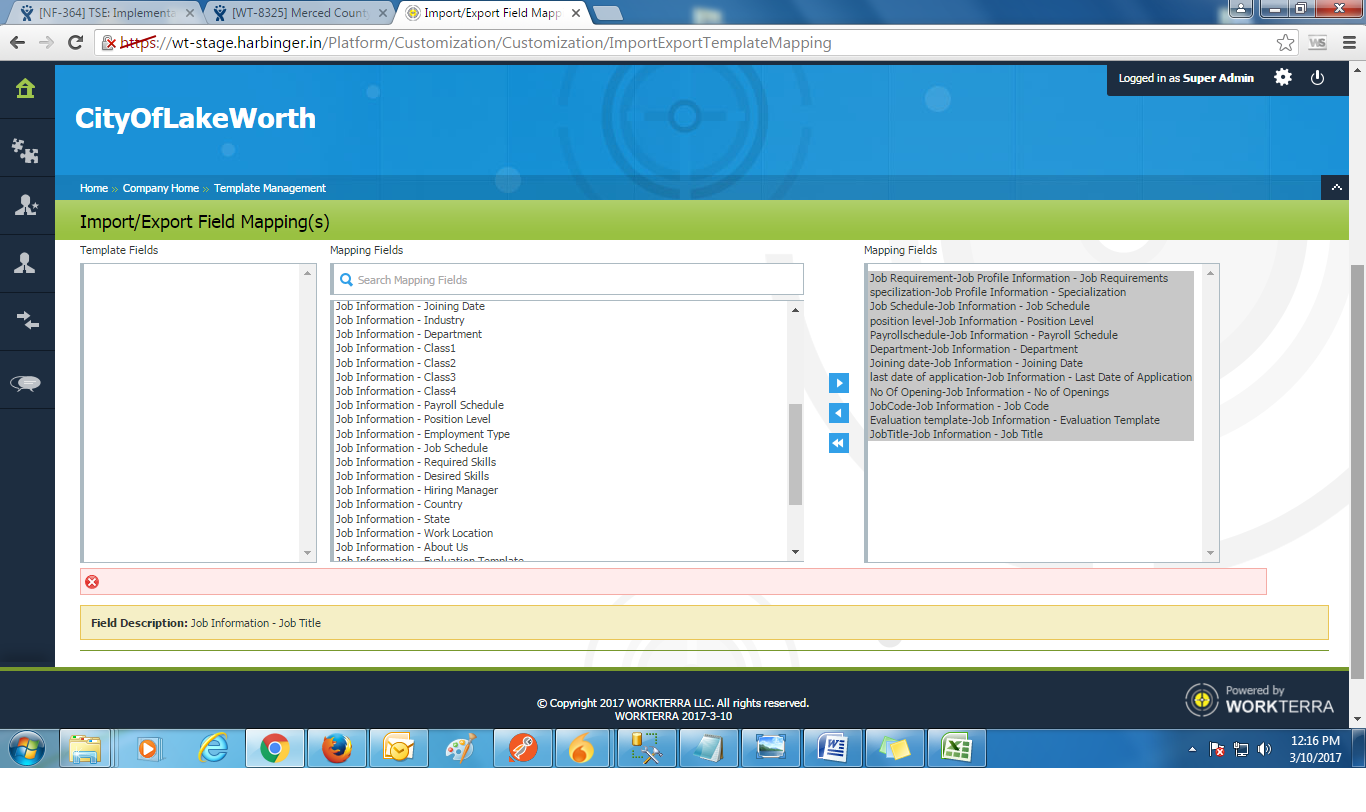
4] Navigate to Field Mapping page, map the fields and click on "Save" button.
Actual Result:
Blank validation message is displaying.
Expected Result:
Fields should be get mapped without any error.
- relates to
-
NF-364 TSE: Implementation to Rename "Roles & Responsibilities" on add job page
-

- Resolution Setting
-

