-
Type:
Bug
-
Status: Closed
-
Priority:
 Critical
-
Resolution: Done
-
Affects Version/s: None
-
Fix Version/s: None
-
Component/s: Integrations
-
Labels:None
-
Module:TSR
-
Reported by:Harbinger
-
Item State:Production Complete - Closed
-
Issue Importance:Q1
1] Login to the application as a partner. .
2] Search an employee.
3] Click on OnBoarding tile from employee Home page.
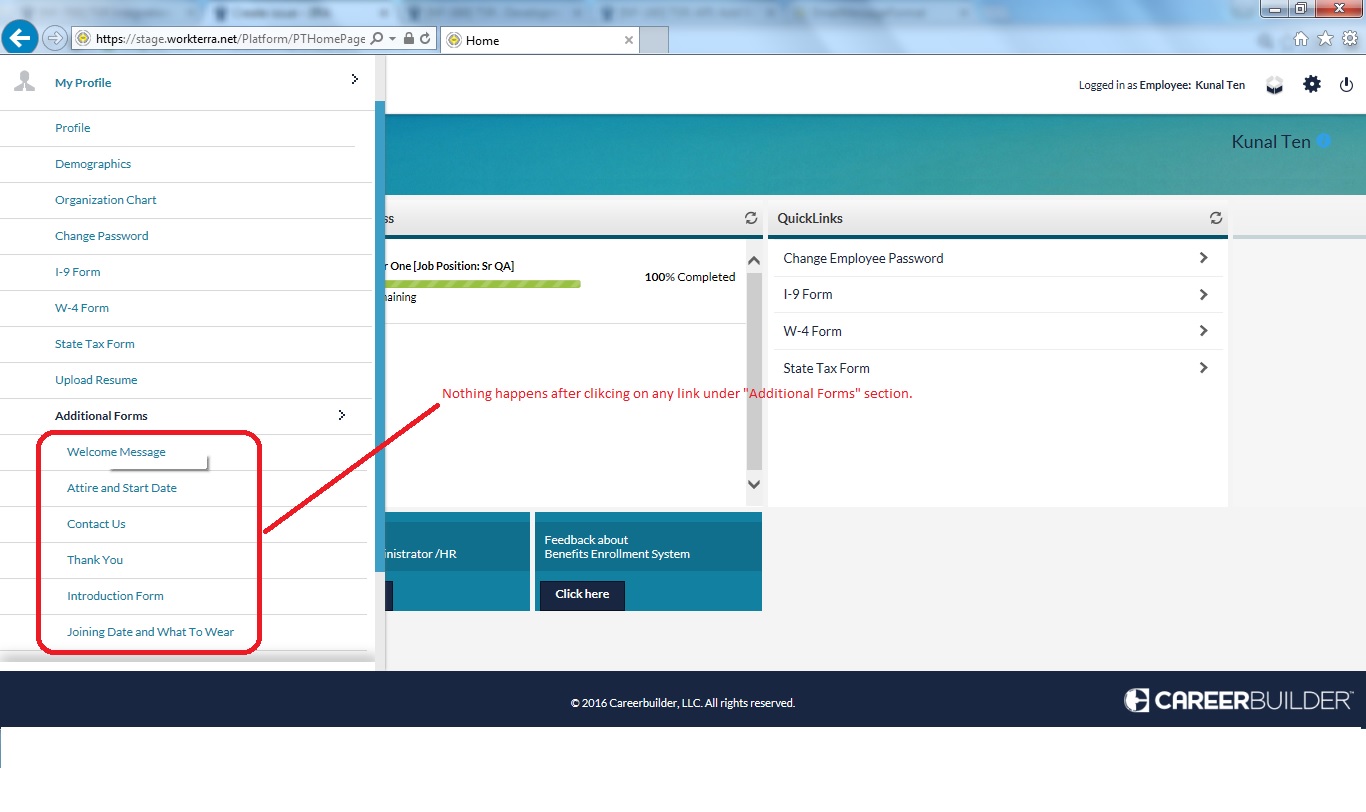
4] Locate the "Additional Forms" section from left hand menu.
5] Click on any of the link under this section.
Please note this issue is for all the employees. (Employee added through API+Existing employee)
Please note same issue is also exists for "Profile" link under My Profile section. Nothing happens after clicking on this link.
Actual Result:
Nothing happens after clicking on any of the link under this section.
Expected Result:
User should be get redirect to the respective link.
Cc: Prasad Pise